
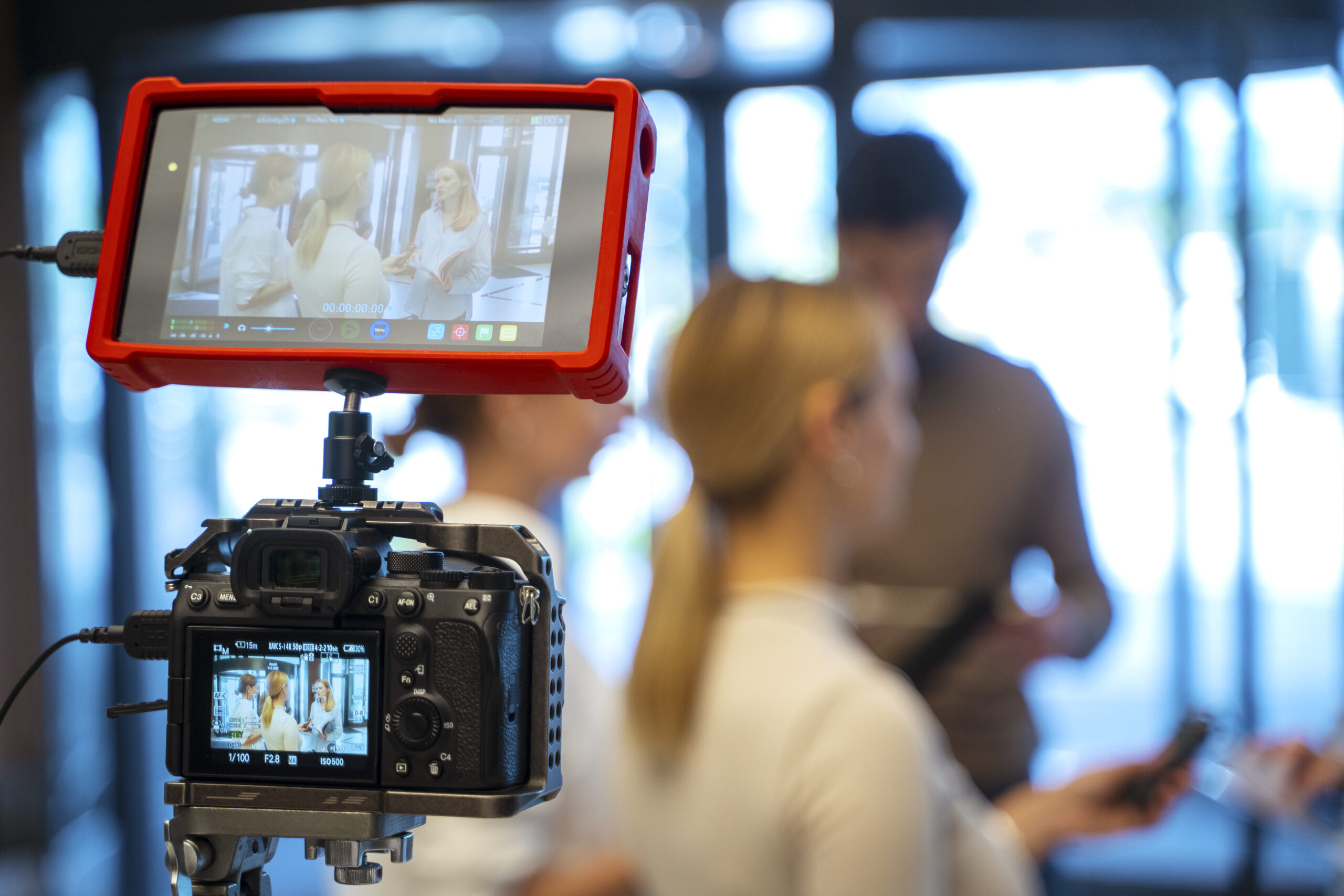
Visual storytelling is the art of using videos, images, graphics, animation, and other visual elements to communicate a story or message. In today’s digital world, it has become an important way for businesses to attract attention, explain ideas, build trust, and connect with their audience.
People often understand visual information quickly. A well-planned video can explain a product, demonstrate a service, tell a brand story, or answer customer questions in a way that is simple and engaging.
For businesses, visual storytelling is not just about creating attractive videos. It is about using visuals and stories to communicate a clear message and create a stronger connection with customers.
Why Is Visual Storytelling Important for Businesses?
Customers see a large amount of content every day. Businesses need content that is useful, easy to understand, and memorable.
Visual storytelling can help businesses:
- Capture audience attention
- Explain complex ideas
- Show products and services
- Build brand personality
- Create emotional connections
- Build customer trust
- Support SEO and online visibility
- Increase social media engagement
- Support customer buying decisions
When a business combines a strong story with good visuals, sound, and editing, it can create content that people are more likely to understand and remember.
1. Engagement and Attention
Visual content can make it easier to capture attention online. Videos, images, animations, and graphics can communicate information quickly and make a page or social media post more engaging.
Create an Emotional Connection
A good story can make people feel connected to a brand.
Businesses can use customer stories, product experiences, testimonials, and behind-the-scenes videos to create a more personal connection with their audience.
For example, a customer testimonial can show how a product or service helped solve a real problem. This can make the brand feel more relatable and trustworthy.
2. Make Complex Information Easier to Understand
Some products, services, and processes can be difficult to explain with text alone.
Video can make these topics easier to understand through demonstrations, animations, screen recordings, and real examples.
Businesses can use videos to explain:
- How a product works
- How to use a service
- How a process works
- How to solve a common problem
- What makes a product different
- How customers can get started
The simple rule is: show people what you mean whenever possible.
3. Build Brand Personality and Trust
People want to know who they are doing business with.
Videos can help businesses show their team, workplace, products, processes, and company culture. This gives customers a better understanding of the people behind the brand.
Humanize Your Brand
Businesses can create:
- Team introduction videos
- Employee interviews
- Behind-the-scenes videos
- Founder stories
- Customer testimonials
- Day-in-the-life videos
These types of content can make a business feel more human and approachable.
Be Authentic
Authenticity is important in modern digital marketing.
Businesses do not always need highly produced videos. Real conversations, product demonstrations, customer experiences, and behind-the-scenes moments can also make valuable content.
The goal should be to communicate honestly rather than make the content look unnecessarily complicated.
4. Visual Storytelling and SEO
Video can be part of a wider SEO strategy when it provides useful information and supports the content on a website.
Businesses can publish videos on:
- Blog posts
- Service pages
- Product pages
- Landing pages
- FAQ pages
- YouTube
- Social media
To make video content easier to understand for users and search engines, businesses should use descriptive titles, relevant descriptions, supporting text, captions or transcripts when appropriate, and clear page structure.
Create Better Video Thumbnails
A thumbnail is often one of the first things users see.
A good thumbnail should:
- Clearly represent the video
- Be easy to understand
- Use readable text when needed
- Match the brand
- Avoid misleading information
An effective thumbnail can encourage more people to click and watch your content.
5. Social Media and Video Content
Video is an important part of social media marketing.
Businesses can create content for platforms such as:
- YouTube
- TikTok
Short-form videos can be used for quick tips, product demonstrations, educational content, customer questions, and behind-the-scenes moments.
Longer videos can be used for tutorials, interviews, webinars, product explanations, and detailed educational content.
Make One Video Work Across Multiple Platforms
You do not always need to create completely different content for every platform.
For example, one long educational video can be turned into:
- A YouTube video
- Several short videos
- Instagram Reels
- YouTube Shorts
- LinkedIn clips
- Blog content
- Social media posts
This can help businesses get more value from the content they already create.
6. Video, Conversions, and Sales
Video can also support customers during the buying process.
A potential customer may have questions before purchasing a product or service. A useful video can answer those questions and demonstrate what the customer can expect.
Businesses can use:
- Product demonstration videos
- Explainer videos
- Customer testimonials
- Service walkthroughs
- Comparison videos
- How-to videos
- Frequently asked question videos
A clear explanation can make the customer journey easier and help people make more informed decisions.
7. Mobile-Friendly Video Content
Many people consume digital content through smartphones. This makes mobile-friendly video an important part of modern content marketing.
When creating videos for mobile users:
- Keep important information easy to see
- Use readable text
- Use captions when appropriate
- Make the opening engaging
- Avoid unnecessary introductions
- Choose the correct aspect ratio for the platform
Short-form content is particularly useful for mobile audiences because it can communicate an idea quickly.
Elements of a Successful Business Video
Creating a successful video requires more than recording a camera in front of a subject. Several elements work together to create a strong final video.
1. Storytelling
The story gives the video direction.
A good business video should have a clear purpose and answer an important question:
What should the viewer understand or do after watching this video?
A simple structure is:
Problem → Solution → Benefits → Call to Action
This keeps the video focused and easy to follow.
2. Visuals
Good visuals help communicate your message.
Pay attention to:
- Lighting
- Composition
- Camera angles
- Framing
- Background
- Product presentation
- On-screen graphics
- Brand elements
Your visuals should support the story instead of distracting from it.
3. Sound
Good audio is essential for a professional video.
Use clear voiceovers, suitable background music, and clean audio recordings. If the viewer cannot understand what is being said, even excellent visuals may not be enough.
4. Editing
Editing brings the story together.
Good editing can include:
- Clean cuts
- Smooth transitions
- Captions
- Graphics
- B-roll
- Music
- Sound effects
- Text overlays
Do not use effects simply to make the video look busy. Every edit should have a purpose.
How to Plan, Shoot, and Edit a Business Video
Step 1: Plan Your Video
Start by deciding who the video is for and what you want to communicate.
Ask yourself:
- Who is my target audience?
- What problem am I solving?
- What information does the viewer need?
- What action should the viewer take?
Then create a simple script and storyboard.
Create a Storyboard
A storyboard helps you plan the order of your scenes before filming.
It can include:
- Scene description
- Camera shot
- Voiceover
- On-screen text
- Graphics
- B-roll
- Transitions
This can make the production process more organized.
Step 2: Shoot Your Video
Use suitable equipment and pay attention to lighting, framing, and sound.
Use Good Lighting
Good lighting helps your subject look clear and professional.
Choose the Right Camera Angle
Different angles can change the way a scene feels. Use camera angles that support the story and keep the subject easy to understand.
Record B-Roll
B-roll is additional footage that can be used while someone is speaking or explaining something.
For example, if you are creating a video about a business, B-roll could include:
- Employees working
- Products
- Office footage
- Customer interactions
- Equipment
- Close-up shots
B-roll can make the video more interesting and help explain the story visually.
Record Interviews and Testimonials
For interviews and customer testimonials, prepare open-ended questions that encourage people to explain their experiences naturally.
Video Editing Essentials
Video editing begins after the filming process is complete.
Pre-Production
Before recording, prepare:
- Script
- Storyboard
- Location
- Camera
- Microphone
- Lighting
- Tripod
- Memory cards
- Batteries
- Other required equipment
Planning these details beforehand can prevent problems during production.
Production
During production, consider your camera settings and recording format.
Frame Rate
Common frame rates include 24fps and 30fps.
The right option depends on the style and purpose of your video.
Resolution
Recording at a suitable resolution gives you flexibility during editing and exporting.
For many projects, Full HD or higher can provide good-quality results, depending on the platform and production requirements.
B-Roll
Record additional footage that supports the main story.
Interviews
Frame your subject properly and ask open-ended questions to encourage natural responses.
Post-Production
After filming, organize and edit your footage.
Choose the Right Editing Software
Popular video editing tools include:
- Adobe Premiere Pro
- Final Cut Pro
- DaVinci Resolve
Choose software based on your editing requirements, experience, and budget.
Organize Your Footage
Create separate folders for:
- Raw footage
- Audio
- Images
- Graphics
- Music
- Project files
- Final videos
Label your clips clearly so you can find them quickly.
Keep Backups
Always keep backup copies of important video files and project files.
Losing original footage can create major problems, especially for large projects.
Export Your Video Correctly
Choose the correct:
- File format
- Resolution
- Aspect ratio
- Frame rate
- Compression settings
The best settings depend on where the video will be published.
Visual Storytelling for SEO, AEO, and GEO
Modern content marketing is no longer focused only on traditional search rankings.
Businesses should also consider Answer Engine Optimization (AEO) and Generative Engine Optimization (GEO) when creating useful online content.
The goal is to make information clear and easy for both people and search systems to understand.
SEO
For traditional SEO, create useful content around topics your audience actually searches for.
Use relevant keywords naturally in:
- Titles
- Headings
- Video descriptions
- Supporting website content
- Image alt text
- FAQs
AEO
AEO focuses on answering specific questions clearly.
For example:
What is visual storytelling?
Visual storytelling is the use of videos, images, graphics, and other visual elements to communicate a message or tell a story.
Providing direct answers like this makes your content easier to understand and useful for people looking for quick information.
GEO
GEO focuses on creating clear, trustworthy, well-structured content that can be understood and referenced by generative AI systems.
Businesses can improve their content by:
- Answering specific questions
- Providing clear explanations
- Demonstrating real expertise
- Adding useful examples
- Keeping information accurate
- Organizing content with descriptive headings
- Including relevant FAQs
The most important principle is simple: create genuinely useful content for people first.
Frequently Asked Questions
What is visual storytelling?
Visual storytelling is the use of videos, images, graphics, animation, and other visual elements to communicate a message or tell a story.
Why is visual storytelling important for businesses?
Visual storytelling can help businesses explain their products and services, capture attention, build trust, communicate their brand personality, and engage their target audience.
How does visual storytelling help marketing?
Businesses can use visual storytelling to create educational content, product demonstrations, customer testimonials, social media videos, advertisements, and brand stories.
Does video help SEO?
Video can support an SEO strategy when it provides useful information and is properly supported with relevant page content, descriptive titles, transcripts or captions when appropriate, and good technical implementation.
What types of videos can businesses create?
Businesses can create explainer videos, product demonstrations, tutorials, customer testimonials, interviews, educational videos, behind-the-scenes content, company introductions, and short-form social videos.
How can small businesses use visual storytelling?
Small businesses can start with simple videos such as FAQs, product demonstrations, customer stories, educational tips, team introductions, and behind-the-scenes content.
What makes a good business video?
A good business video has a clear purpose, useful information, strong storytelling, good visuals, clear audio, effective editing, and a relevant call to action.
Conclusion
Visual storytelling gives businesses a simple and effective way to communicate with modern audiences.
Instead of only telling customers what a business does, videos and other visual content can show them how a product works, how a service solves a problem, and who is behind the brand.
From social media videos and product demonstrations to customer testimonials and educational content, visual storytelling can become an important part of a modern digital marketing strategy.
The key is not to create videos simply for the sake of having video content. Focus on your audience, answer their questions, provide useful information, and tell a clear story.
When visual storytelling is combined with SEO, AEO, GEO, social media marketing, and high-quality content, businesses can create a stronger and more useful online presence.
Whether you are a small local business, an ecommerce brand, or a growing company, the right visual content can help you communicate your message clearly and build stronger relationships with your audience.
Leave a Reply